Processing payment...
AudiFab Apple Music Converter (Windows): Lifetime Subscription
AudiFab Apple Music Converter (Windows): Lifetime Subscription, item 1 of 6
AudiFab Apple Music Converter (Windows): Lifetime Subscription, item 2 of 6
AudiFab Apple Music Converter (Windows): Lifetime Subscription, item 3 of 6
AudiFab Apple Music Converter (Windows): Lifetime Subscription, item 4 of 6
AudiFab Apple Music Converter (Windows): Lifetime Subscription, item 5 of 6
AudiFab Apple Music Converter (Windows): Lifetime Subscription, video, item 6 of 6

AudiFab Apple Music Converter (Windows): Lifetime Subscription

Deal Price$71.99 CAD
Suggested Price
$128.39 CAD
You save 44%
Brand AudiFab
AudiFab Apple Music Converter (Windows): Lifetime Subscription
$71.99 CAD$128.39 CAD44% OFF

Convert Apple Music to MP3, FLAC & More on Windows

Description

Turn Your Apple Music Library Into Local Audio Files

AudiFab Apple Music Converter downloads Apple Music songs, albums, playlists, iTunes M4P tracks, podcasts, and audiobooks to your Windows PC as standard audio files. Listen offline, move songs to other devices, and build a personal music collection that isn't tied to the Apple Music app.

Download & Convert Your Apple Music Library

  • Apple Music & iTunes Audio: Convert Apple Music songs, albums, playlists, iTunes M4P tracks, podcasts, and audiobooks.
  • Six Output Formats: Save tracks as MP3, AAC, WAV, FLAC, AIFF, or ALAC.
  • Batch Conversion: Download entire albums and playlists at up to 10× speed instead of converting songs one by one.
  • Organized Output: Customize file names and output folders to keep your library tidy.

Keep Lossless Quality, Tags & Lyrics

  • Original Audio Quality: Preserve the source sound, including Apple Music Lossless and Hi-Res Lossless when available.
  • ID3 Tags Retained: Keep titles, artists, albums, artwork, track and disc numbers, year, genre, and composer.
  • Lyrics Saved: Keep lyrics files alongside your converted tracks.

Built-In Tools For Your Audio Collection

  • Format Converter: Convert local audio files to MP3, M4A, FLAC, WAV, OGG, or AIFF.
  • Tag Editor: Update track metadata and artwork.
  • Audio Editor: Make edits to your audio files.
  • CD Burner: Burn converted or local music to CD.
  • AI Audio Splitter: Separate vocals from instrumentals for karaoke, remixing, or practice.

Take Apple Music Anywhere

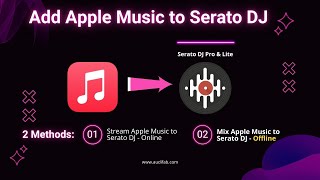
Play your converted songs offline on Windows PCs, Macs, smartphones, MP3 players, car stereos, and other compatible devices. You can also save them to USB drives or import them into DJ software.


Specs

System Requirements

  • Operating System: Windows 11 (64-bit), or Windows 10, 8.1, 8, or 7
  • Processor: 1 GHz Intel or AMD processor or faster
  • Memory: 256 MB RAM or more
  • Storage: 1 GB of available disk space or more
  • Software: iTunes for Windows 10 or later (needed for iTunes App mode; Web Player mode works without it)
  • Apple Music: An active Apple Music subscription is required to convert Apple Music songs
  • Internet: Required to download music


Important Details

  • Length of Access: Lifetime
  • Redemption Deadline: Redeem your code within 30 days of purchase
  • Access Options: Desktop only
  • Max Number of Devices: 1 device at a time
  • Available to New and Existing users
  • Version: V3.4.4
  • Updates Included: Yes
  • For Personal Use Only
  • Have questions on how digital purchases work? Learn more about digital products
  • Learn more about what lifetime access means!

Terms

  • Unredeemed licenses can be returned for store credit within 30 days of purchase. Once your license is redeemed, all sales are final.
Processing order...